|


| |
Description 
Creates a new recipe in the current folder.
Use
 | Choose the Recipe command on the Insert menu |
View Description
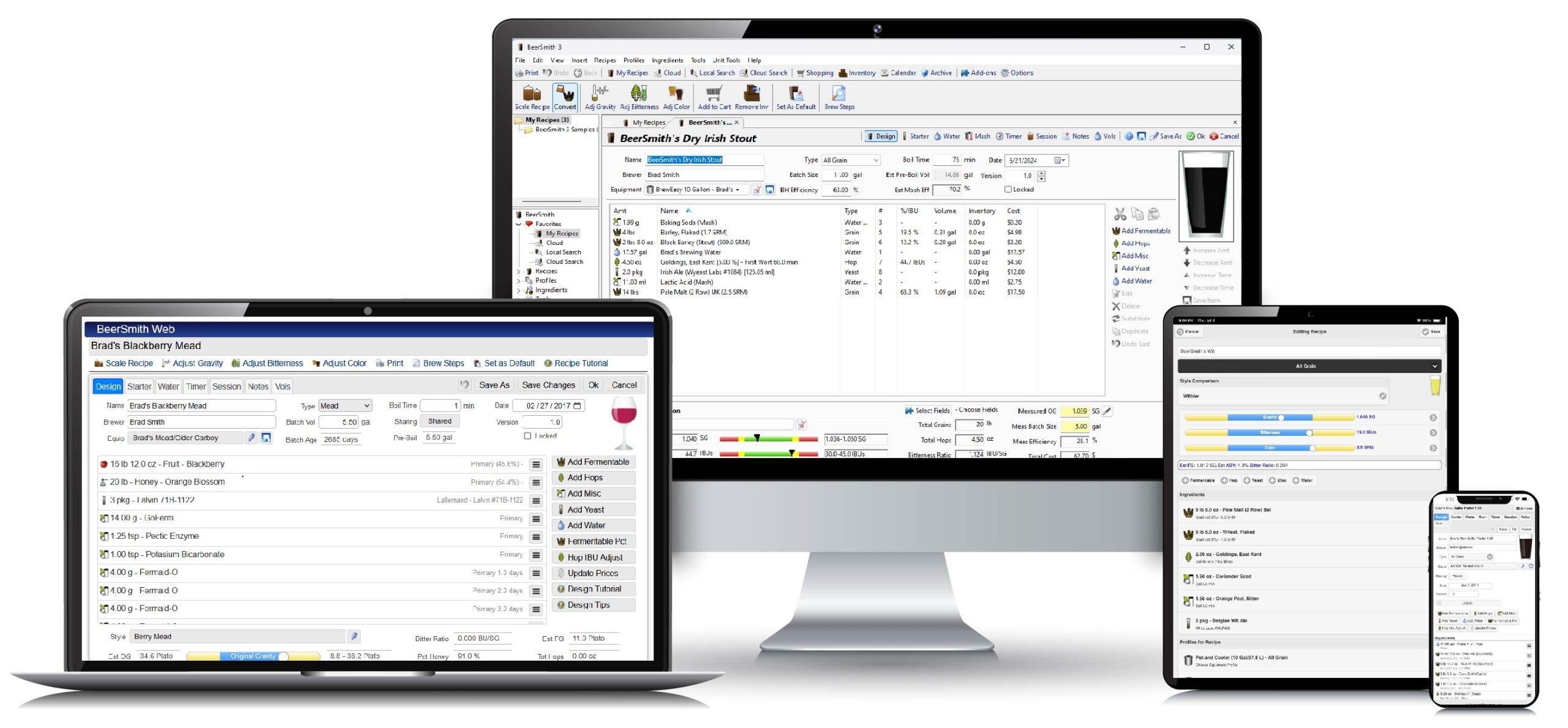
The recipe view is used for inserting and editing recipes.
 | Name - The name of the recipe |
 | Type - Type of recipe - either Extract, Partial Mash or All Grain |
 | Date - Date the recipe was brewed |
 | Style - The beer style chosen from the style table. Use the Choose
button to pick a style and the Details button to view details of the
style. Style guidelines for the current style are shown in the Beer
Profile section. |
 | Brewer - The name of the brewer |
 | Assistant - The name of the assistant brewer |
 | Equipment - Equipment used to brew this beer, chosen from the
equipment table. Equipment parameters are used to calculate boil size,
water needed, sparge water and mash temperature adjustments. Use the Choose
button to select equipment and the Details button to edit equipment
parameters for this recipe. Choosing new equipment will not change the
ingredients. If you are converting a recipe from one set of equipment
to another, use the Scale Recipe command on the Actions menu
instead, as this command will scale ingredient amounts to the new equipment |
 | Set Boil Volume Based on Equipment - Adjusts the boil volume to the
volume calculated from equipment and boil time settings if checked. If
not checked, then you can edit the boil volume freely |
 | Batch Size - The finished batch volume - i.e. the amount of beer
you hope to brew. Batch size is used in calculating most of the
elements in the beer profile. |
 | Boil Size - The starting size of the boil. This parameter is
used to calculate hops utilization, water needed and other parameters for
the beer. For example small boil sizes often decrease hops utilization
resulting in less bitterness than a full batch boil |
 | Boil Time - The total boil time in minutes |
 | Brewhouse Efficiency - A brewer dependent parameter used in partial
mash and all grain brewing. It represents the percentage of potential
sugars extracted from the grains during the mash process. Most all
grain brewers achieve efficiencies in the range of 70-78% |
 | Taste - A short description of how the beer tasted including its
appearance, aroma and flavor. This taste description is displayed in a
hover window when browsing beer recipes to aid in selecting the correct
recipe. |
 | Taste Rating- The judged taste rating of the beer, rated on a scale
of 1-50. The 50 point scale is used widely in competition (see BJCP
judging standards) worldwide as a total score for beer aroma, balance,
taste, etc |
Ingredients
 | Ingredients - A list of ingredients used to brew the beer.
Includes the amount and a description of each ingredient. For grains
and extracts, the percentage of the grain bill is displayed. For hops,
the IBU bitterness contribution is displayed. You can add, modify and
delete ingredients using the buttons in the ingredient box. You can
modify any ingredient by double clicking on it. |
 | Add Grain/Extract, Add Hops, Add Yeast, Add Misc, Add Water - Displays
a dialog that lets you choose the item to add and amount to add to the
ingredient list |
 | Increase Amount, Decrease Amount - Increases or decreases the
amount of the selected ingredients. The increment amount for each type
can be set using the Units Setup tab of the Options command on the Tools
menu |
 | Increase Time, Decrease Time - Increases or decreases the time for
selected hops. These commands only works with hops |
 | Delete - Deletes the selected ingredient from the ingredients list |
 | Add Item to My Ingredients - Adds the selected item to the main
Grain, Hops, Yeast or Water table. Useful for importing new
ingredients for permanent use when you receive a recipe from someone
else. NOTE: To avoid duplication, the item will only be added
if no item with the same name exists. |
Beer Profile
 | Original Gravity Estimate - Estimated original gravity based on the
current batch size, ingredients and mash efficiency (if mashing) |
 | Style OG - Original gravity range from the style guide for the
currently selected beer style |
 | Measured OG - Put your measured actual original gravity in
here. This measurement is used to calculate the actual alcohol by
volume and the calories per glass |
 | Final Gravity Estimate - The estimated final gravity based on the
estimated original gravity and the average yeast attenuation for the yeast
in the ingredients list. |
 | Style FG - Final gravity range from the style guide for the
currently selected beer style. |
 | Measured FG - The measured final gravity of the beer usually taken
at when bottling. This measurement is used to calculate the actual ABV
and calories. |
 | Estimated Color - A color estimate for the beer based on the color
of the ingredients and batch size. Note that SRM is equivalent to
Lovibond color points for most applications. |
 | Style Color - The color range for the selected target beer style. |
 | Color - A swatch showing the estimated beer color. See Colors
in BeerSmith for a technical description of the limitations of
estimating and displaying colors. |
 | Bitterness - An estimate of the beer bitterness in International
Bitterness Units (IBUs). See Estimating
Bitterness in BeerSmith for a technical discussion of beer bitterness
measurements. |
 | Style IBU - The IBU range of the chosen beer style for this
recipe. It provides a guideline to use when adjusting the bitterness
for the beer. |
 | Alpha Acid Units - The bitterness calculated in alpha acid units,
which is simply the alpha percent of the hops times the hops weight in
ounces divided by the volume in gallons. AAUs are not as accurate as
IBUs. For a full discussion see the Estimating
Bitterness technical note. |
Alcohol
 | Alcohol by Volume Estimate - An estimate of the alcohol by volume
of the finished beer based on the estimated original and final gravities. |
 | Style ABV - Range of alcohol by volumes recommended for the
selected beer style. |
 | Actual ABV - Actual alcohol by volume calculated from the measured
original gravity and measured final gravity. |
 | Calories per 12 oz - Calories per 12 oz (0.35 liters) glass of beer
calculated from the measured original and final gravities. |
Mash Profile
 | Name - The name of the mash profile used to brew this beer.
Mash profiles may be selected from the table of mash profiles using the Choose
button and edited using the Details button. See Inserting
Mash Profiles for a description of the fields in a mash profile. |
 | Adjust Temp for Equipment - When checked, the mash tun parameters
from the equipment database are used to adjust mash infusion temperatures
and decoction amounts to compensate for heating the mash tun. If not
checked, the mash tun is ignored and only the grain and water temperatures
are used for calculating infusion and decoction amounts. |
 | Mash Profile - Displays the steps in the current mash
profile. You can double click on any step to modify it. |
 | Add, Delete, Up, Down - Adds mash steps, deletes the selected one,
or moves the selected step up or down in the mash profile list. See Adding
Mash Steps for a description of mash steps. |
Fermentation
 | Type - The number of stages in the fermentation - BeerSmith
supports one, two and three stage fermentations. |
 | Days, Temperature - Fields for entering the length of time in each
fermentation stage and the temperature for fermentation. Data may be
entered for the primary, secondary or tertiary depending on fermentation
type. |
Carbonation
 | Carbonation - The target carbonation (in volumes of CO2) for this
beer recipe. |
 | Style Volumes - The recommended carbonation for the selected beer
style. Note that many English beers are traditionally served with low
carbonation, which US consumers would perceive as "flat." A
carbonation of 2.0 volumes or higher is recommended for US brewers
regardless of style. |
 | Type - The method used to carbonate the beer. May be corn
sugar, dried malt extract or forced CO2 if kegging the beer. |
 | Beer Temp - The temperature of the beer. For bottled beers,
this is the temperature at bottling (usually room temperature). For
kegged beers, this is the temperature at which the beer will be force
carbonated, which may be either room temperature or refrigerator temperature
depending on your keg setup. |
 | Sugar Weight - The weight of corn sugar or dry malt extract to use
when bottling the beer to achieve the target carbonation. We strongly
recommend weighing the sugar or extract as the volume of sugars/DMEs vary
with type. |
 | CO2 Pressure - If carbonating with forced CO2, this is the pressure
setting needed to achieve the desired carbonation level at the entered beer
temperature. |
 | Used - Space for recording the actual carbonation amount used if
different from the recommended amount. |
Age
 | Age for - The number of weeks to age the beer before it is ready to
consume. |
 | Store at - The temperature used to store the beer |
 | Notes - Space for additional notes on the beer, ingredients or
brewing process used. |
|