Mac Issues

jeffd

New Forum Member
Joined
Oct 3, 2021
Messages
4
Reaction score
0
1. Printing steps tries to open a file in a location safari cannot open, so it says it cannot find it. Should give the option to save it to another location so it can open it. Presently you have to go to the location and move them elsewhere.
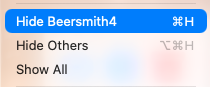
2. Hide Beersmith4 doesn't work
3. It would be nice Printing had CMD-P shortcut as is standard.
 
  1. If you are having trouble with printing, try going to BeerSmith->Preferences->Reports and uncheck the print to browser option.
  2. Not sure what you mean by hiding does not work?
  3. I have the shortcuts on my "to do" list for the Mac and intend to address it in an upcoming update.
 
1. This did work, but for some reason there is no 'zoom' option in the printer settings. I usually use this to reduce the page count - but I can easily print now - so thank you!
2. 1783820350096.png
This will make it so the application in question isn't foreground anymore.

3. Excellent.
 
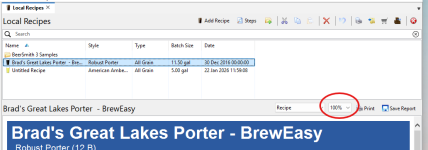
You can try the drop down circled in red here to adjust font size before printing:
scaling.png
 
Back
Top